Android Profiles
Overview
Android profiles in Indigo X are browser profiles that websites perceive as mobile devices. Instead of appearing as a desktop computer, you'll be recognized as a smartphone user. This is particularly useful for tasks requiring mobile device-like activity patterns.
Perfect for testing, account management, or automating tasks that require mobile device fingerprints. Android profiles help you blend in as a smartphone user and interact with mobile versions of websites.
Limitations
- Android profiles must be created from scratch and cannot be converted from desktop profiles
- Mobile app installation is not supported as these profiles don't function as actual mobile devices
Recommended Settings
Default Configuration
The following settings cannot be set to "Real" when creating or updating profiles. These configurations ensure optimal performance and stability for Android profiles.
| Setting | Default Value | Notes |
|---|---|---|
| Font Data | Mask | Required for stability |
| WebGL + WebGPU Metadata | Mask | Cannot be set to Real |
| Media Devices | Mask | For optimal performance |
| Navigator | Mask | System requirement |
| Screen Resolution | Mask | Must be configured |
Optimal Settings
For best results, use these recommended values:
| Setting | Value |
|---|---|
| Screen Resolution | Mask |
| Media Devices | Mask |
| WebGL + WebGPU Metadata | Mask |
| WebGL Graphics | Noise |
| Canvas Graphics | Real |
| AudioContext | Noise |
| Font Data | Mask |
Using Android Profiles
- Via User Interface
- Via API
- Click "New Profile" or "Quick Profile"
- Select "Android" as your profile's OS
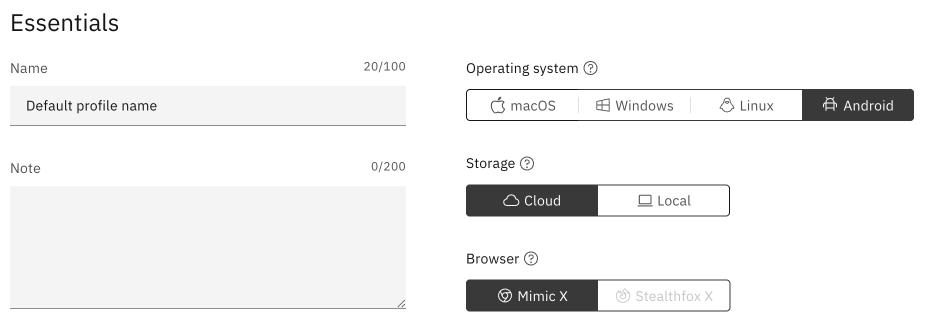
Available Endpoints
- Profile Create - Create mobile profiles
- Profile Update - Modify existing profiles
- Profile Partial Update - Make specific changes
- Start Quick Profile v3 - Launch quick mobile profiles
Configuration Examples
Start Page Configuration
{
  "parameters": {
    "flags": {
      "startup_behavior": "custom"
    },
    "custom_start_urls": [
      "https://app.indigobrowser.com/WhatIsMyIP"
    ]
  }
}
Touch Points Configuration
The max_touch_points parameter defines how many simultaneous touch points an Android device supports:
| Property | Description |
|---|---|
| Parameter | max_touch_points |
| Valid Values | 1-10 (default: 5) |
| Example | "max_touch_points": 2 |
Setting max_touch_points to 2 indicates the device supports two simultaneous touch points.